



You know that moment when someone pulls out a notebook and it just feels like them? That’s the quiet power of customization. If you’re trying to make your brand stick in people’s minds (without screaming at them from a billboard), customizing notebooks for your brand is one of the smartest, most underrated moves you can make right now.
I’m not talking about slapping a logo on a cheap pad and calling it a day. I mean creating something people actually want to keep, use, and maybe even show off. It’s subtle branding that works while they’re scribbling meeting notes or doodling ideas. And the best part? It’s way more doable than it sounds.
Why bother in the first place?
Let’s be real—everyone’s inbox is full and attention spans are short. A generic notebook gets tossed in a drawer. A custom one? It sits on their desk, gets pulled out daily, and quietly reminds them who you are. Companies I’ve worked with have seen huge lifts in perceived professionalism just from handing out well-designed notebooks at events or onboarding new team members. It’s not flashy, but it lasts.
Step 1: Nail your brand vibe first (don’t skip this)
Before you touch a single design file, get brutally clear on what your brand actually stands for. Are you sleek and minimalist? Warm and earthy? Bold and creative? Write it down—colors, tone of voice, even the feeling you want people to have when they hold the notebook.
I’ve seen brands waste weeks tweaking fonts because they jumped straight to Canva without doing this. Don’t be that brand. This step is the secret sauce that makes everything else click.
Step 2: Pick the right base notebook
Not all notebooks are created equal, and that’s a good thing. Spiral-bound for quick page flips at workshops? Hardcover for that premium boardroom feel? Pocket-sized for the always-on-the-go crowd?
Think about how your people will actually use it. I usually recommend starting with a supplier that offers samples—seriously, order a few different styles and feel them in real life. Paper weight, binding, cover texture… it all matters more than you’d expect.
Step 3: Design a cover that stops people mid-scroll
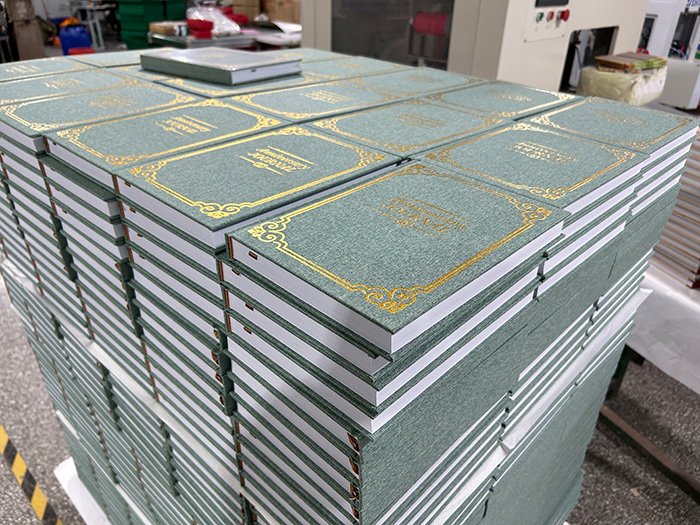
This is the fun part (and the one most people overthink). Your logo doesn’t have to be huge—sometimes a subtle embossed detail does more talking. Foil stamping, spot UV, textured paper… these little upgrades make it feel expensive without costing a fortune.
Pro tip: Mock it up in Canva first if you’re on a budget, then hand it off to a designer for the final polish. And whatever you do, test it on actual people before printing a thousand copies. I once watched a client kill a “cool” design because their audience said it looked too corporate. Saved them a ton of money.
Step 4: Make the inside pages actually useful
Nobody talks about this enough. The cover gets the “wow,” but the pages get the daily use. Lined, dotted, or blank? Add a custom header with your tagline? Throw in a couple of branded templates—like project trackers or meeting prompts?
One brand I know added a simple “Three things I’m grateful for today” section on the first page. Sounds cheesy, but their customers raved about it. Turn the notebook into a tool, not just pretty paper.
Step 5: Materials that match your values (and won’t fall apart)
If sustainability is part of your story, go for recycled or FSC-certified paper. If you’re all about luxury, opt for thicker, cream-colored pages that don’t bleed when someone uses a fountain pen.
Cheap materials scream “we cut corners.” Trust me, people notice. Always ask for paper samples and write on them yourself. It’s the only way to know for sure.
Step 6: Production—keep it simple but smart
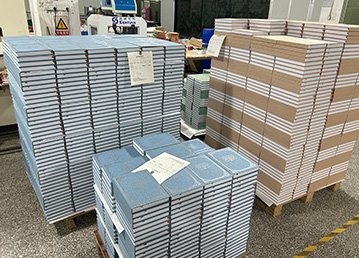
Decide on quantity early. Small test run? Digital printing. Big order for an event? Offset might save you money. Work with a printer who actually understands custom work and always, always get a physical proof.
I can’t tell you how many times I’ve seen color disasters because someone approved a PDF on their phone screen. Don’t be that person.
Step 7: Those little extras that make it feel bespoke
Pen loop. Ribbon bookmark. Elastic closure with your logo. Even a QR code on the inside cover that links to a special resource library. These tiny details are what turn “nice notebook” into “I need ten more of these.”
Quick mistakes to dodge
- Rushing the design because you’re excited
- Ignoring your actual audience (what they like matters more than what you like)
- Going too cheap on paper or binding
- Forgetting to order samples first
Wrapping it up
Customizing notebooks for your brand isn’t about perfection—it’s about intention. When you do it right, you’re not just handing out stationery. You’re giving people a little piece of your brand they’ll actually carry around with them.
So go ahead—grab a notebook supplier, sketch out a couple ideas, and start small if you need to. Your future customers (and your team) will thank you.
Got questions about suppliers, design tools, or how to make this work on a tiny budget? Drop them in the comments—I’m happy to help brainstorm.